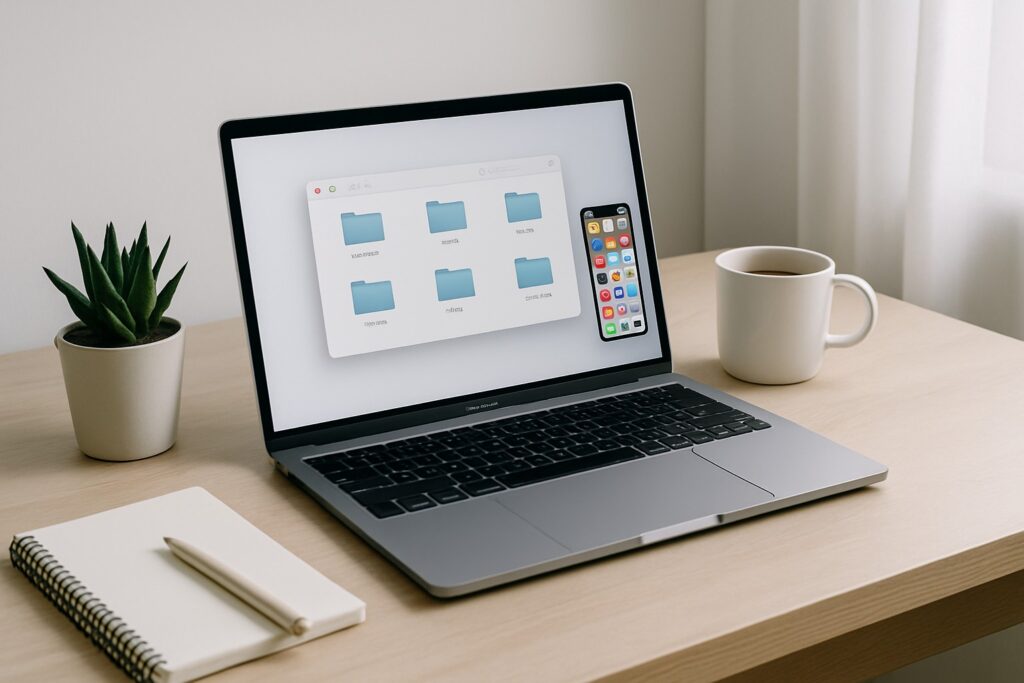
Ready to reset your digital life? This hour-by-hour plan will help you organize your inbox, clean your desktop, detox social media, and more—using only free tools!
Do you feel like your digital life is spiraling out of control—endless email notifications, messy folders, unused apps, and too many open tabs? You’re not alone. Our devices are cluttered with digital noise, and it affects our focus, productivity, and peace of mind.
That’s why it’s time for a Digital Declutter Day—a 24-hour reset challenge that helps you regain control of your online space with simple steps and free tools. Whether you spread these over two days or power through in one, this 24-hour plan fits your pace. Customize it to match your energy and schedule, digital decluttering should feel freeing, not overwhelming. No need to overthink. Just follow along, and by the end of today, your digital world will feel lighter, clearer, and more peaceful.
⏰ 24-Hour Digital Declutter Plan (Step-by-Step)
Note: All tools listed are free unless marked otherwise.
Hour 1: Get Ready
- Brew your favorite tea or coffee 🍵
- Play a calming productivity playlist
- Create a folder on your desktop:
Digital Declutter Day - Open a note app like Notion or Google Keep (both free)
Hour 2: Declutter Your Email
- Use Unroll.me or Clean Email (free + paid plans) to unsubscribe from junk
- Archive/delete old emails
- Create labels/folders like “To Read,” “Bills,” “Receipts”
- Set up Gmail filters to auto-organize new emails
Hour 3: Clean Your Desktop & Downloads
- Move all desktop files to your new folder
- Sort your Downloads folder — delete duplicates
- Use WinDirStat (Windows, free) or DaisyDisk (Mac, paid)
- Affiliate Pick: USB Flash Drive Organizer 🛒
Hour 4: Organize Cloud Storage
- Clean up Google Drive, Dropbox, or iCloud
- Use folders like “Home,” “Work,” “Photos,” “Ideas”
- Delete duplicates and rename messy files
Hour 5: Sort Your Photos
- Delete blurry photos and screenshots
- Use Google Photos (free) to back up
- Affiliate Pick: Photo Backup External Drive 🛒
Lunch Break 🥗
Time for a screen-free recharge. Stretch, journal, or enjoy this quick, nourishing recipe that keeps your energy steady without spending hours in the kitchen.

Quick Boiled Egg Salad – Light & Energizing
Ingredients
- 2 boiled eggs chopped
- ½ cup chopped cucumber
- ½ cup cherry tomatoes halved
- ¼ cup red onion finely chopped
- 2 tbsp fresh parsley or coriander chopped
- Juice of ½ lemon
- 1 tbsp olive oil
- Salt and black pepper to taste
- Optional: chili flakes or paprika
- ¼ cup black or green olives sliced
Instructions
- In a medium bowl, combine chopped boiled eggs, cucumber, tomatoes, and red onion.
- Add parsley or coriander for freshness.
- Drizzle lemon juice and olive oil over the top.
- Season with salt, pepper, and optional chili flakes.
- Toss gently and serve immediately, or chill for 5 minutes for a cooler break.
Notes
- This salad is light but satisfying — ideal for a mid-day focus boost during Digital Declutter Day.
- Add feta or chickpeas for extra protein if desired.
🛒 Make It Easier:
Speed up meal prep with this Electric Egg Boiler — perfect for making healthy snacks without standing over the stove.
Buy on AmazonHour 6: Social Media Detox
- Unfollow accounts that drain your energy
- Delete old DMs and update bios
- Turn off distracting notifications
- Optional: Delete apps for a day
Hour 7: Remove Unused Apps
- Delete apps you haven’t used in months
- Use built-in tools or AppCleaner (Mac)
- Turn off background data for unused apps
Hour 8: Refresh Passwords & Privacy
- Use LastPass (free plan available)
- Enable 2FA (Two-Factor Authentication)
- Delete old saved cards/accounts
Hour 9: Clean Your Browser
- Close all tabs you don’t need
- Sort bookmarks into folders
- Use Pocket (free) to save articles
- Affiliate Pick: Blue Light Blocking Glasses 🛒
Hour 10: Organize Notes & Screenshots
- Clear up Notes, Keep, or Notion
- Organize ideas by category
- Delete unused voice memos and lists
Hour 11: Review Notifications
- Turn off non-essential app notifications
- Use “Focus Mode” or “Do Not Disturb” during work hours
- Set quiet hours on your phone
Hour 12: Reflect + Plan Digital Habits
- Write 3 things that felt great to delete
- List digital habits you want to maintain
- Set a 10-minute weekly declutter reminder
- Free Tool: Use your phone’s Reminders or Calendar app
🎁 Free Printable: Digital Declutter Day Checklist
Want to repeat this declutter day next month? Download our free printable checklist to stay on track! Includes tools, hourly tasks, and a habit tracker.
🛒 Favorite Productivity Tools (Amazon)
💭 Final Thoughts
Digital clutter might not be visible, but its weight is real. A 24-hour reset can create space in your mind and improve your everyday digital life. Take a breath, power down when needed, and remember—you’re in control of your tech, not the other way around. 🧘♀️
If this guide helped, don’t forget to pin it, share it, or send it to a friend who needs a digital detox!
This post contains affiliate links. If you purchase through these links, I may earn a small commission at no extra cost to you. Thank you for supporting SweetString! 💖